We use cookies to make your experience better. Learn more

Shipping & Delivery Details
At SharkNinja, we make it easy to get your order delivered wherever you are in the KSA. Whether you’re in a major city or a remote community, here’s everything you need to know about shipping times, rates, and options before placing your order.
Where SharkNinja Ships in the KSA
Delivery availability is subject to the delivery location and whether the delivery address falls within our serviceable coverage area.
Most orders are expected to be delivered on the next business day, although delivery times may vary depending on location, order volumes, weekends, public holidays, weather conditions, operational constraints, or other circumstances beyond our reasonable control.
Delivery timelines are estimates only and are not guaranteed. Actual delivery times may vary depending on location, order volumes, public holidays, weather conditions, operational constraints, or other circumstances beyond our reasonable control.
Shipping Costs and Free Delivery Options
We offer free standard delivery to addresses within our designated service coverage area in KSA, subject to any exclusions, limitations or promotional conditions notified on the Website from time to time. This offer applies to standard shipping and is valid for all purchases made through our website.
How to Manage Your Account Details
Want to make future orders even easier? Set up your address and payment details in your My Account before you shop.
Once logged into your My Account, follow the directions below to set up your address and preferred payment details.
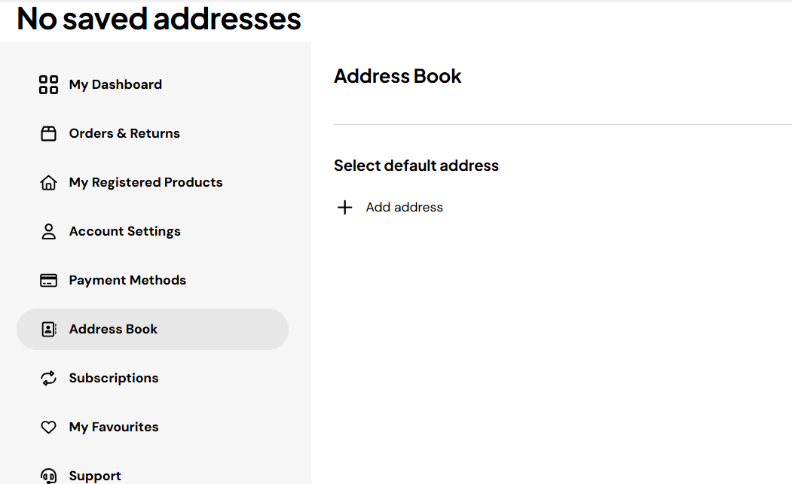
Step 1. Click on the Address Book
- In the left side navigation bar, click on Address Book to access the addresses saved to your file.
- If you have not yet added an address, click on the Add address button.
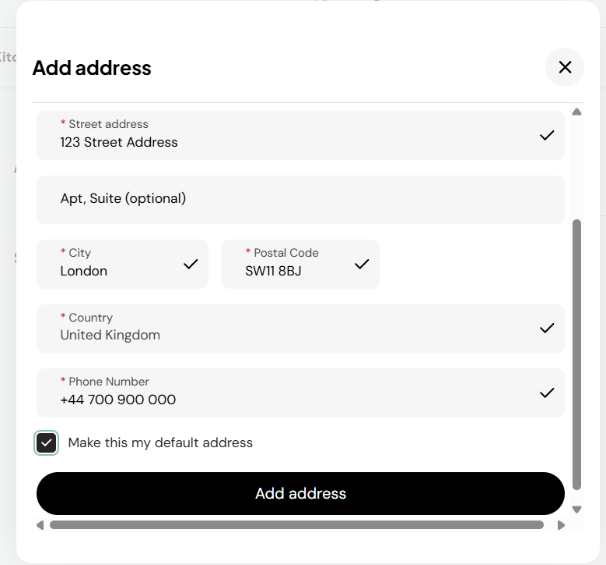
Step 2. Enter your contact information
- Complete all the mandatory fields in the window, including the address nickname.
- Select ‘Make this my default address’ to automatically use it for future orders.
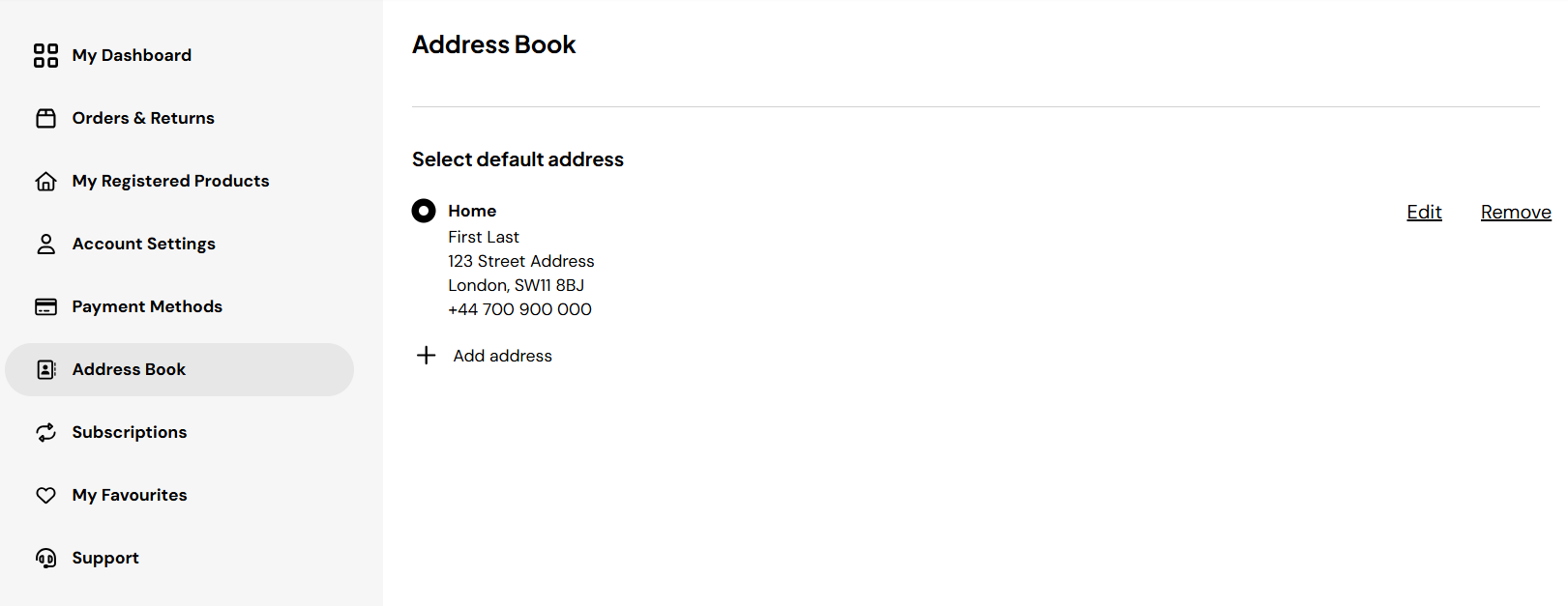
Step 3. Verify it was added and is accurate
- Review the information on the main screen.
- If you need to edit the information, click on the edit button to the right of the address.
- To add another address, click once again on the “+ Add address” button.
Still have questions about shipping or delivery?
Our team’s here to help — Contact Us for support.